Design Approach
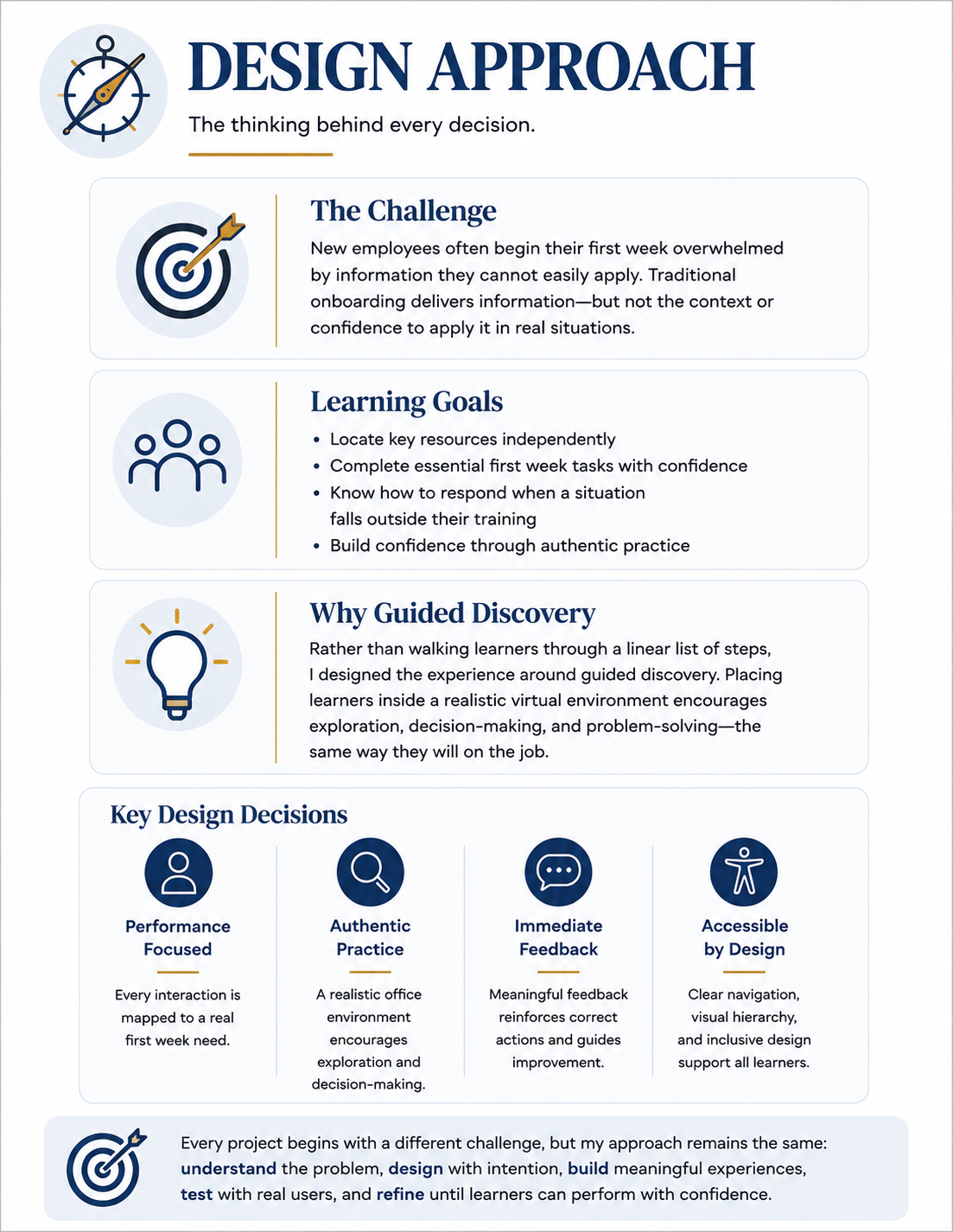
Every learning experience begins long before development. Before opening Storyline or designing visuals, I focused on the performance risk: what learners needed to recognize, evaluate, and correct before operating a CO₂ laser.
The framework shown here summarizes the thinking that guided the project. Rather than asking learners to memorize another safety checklist, I designed an inspection-based experience that requires observation, judgment, corrective action, and immediate feedback.
Each design decision supported one central goal: preparing learners to identify unsafe conditions and complete a pre-operation inspection with greater confidence before working with real equipment.
Design Process
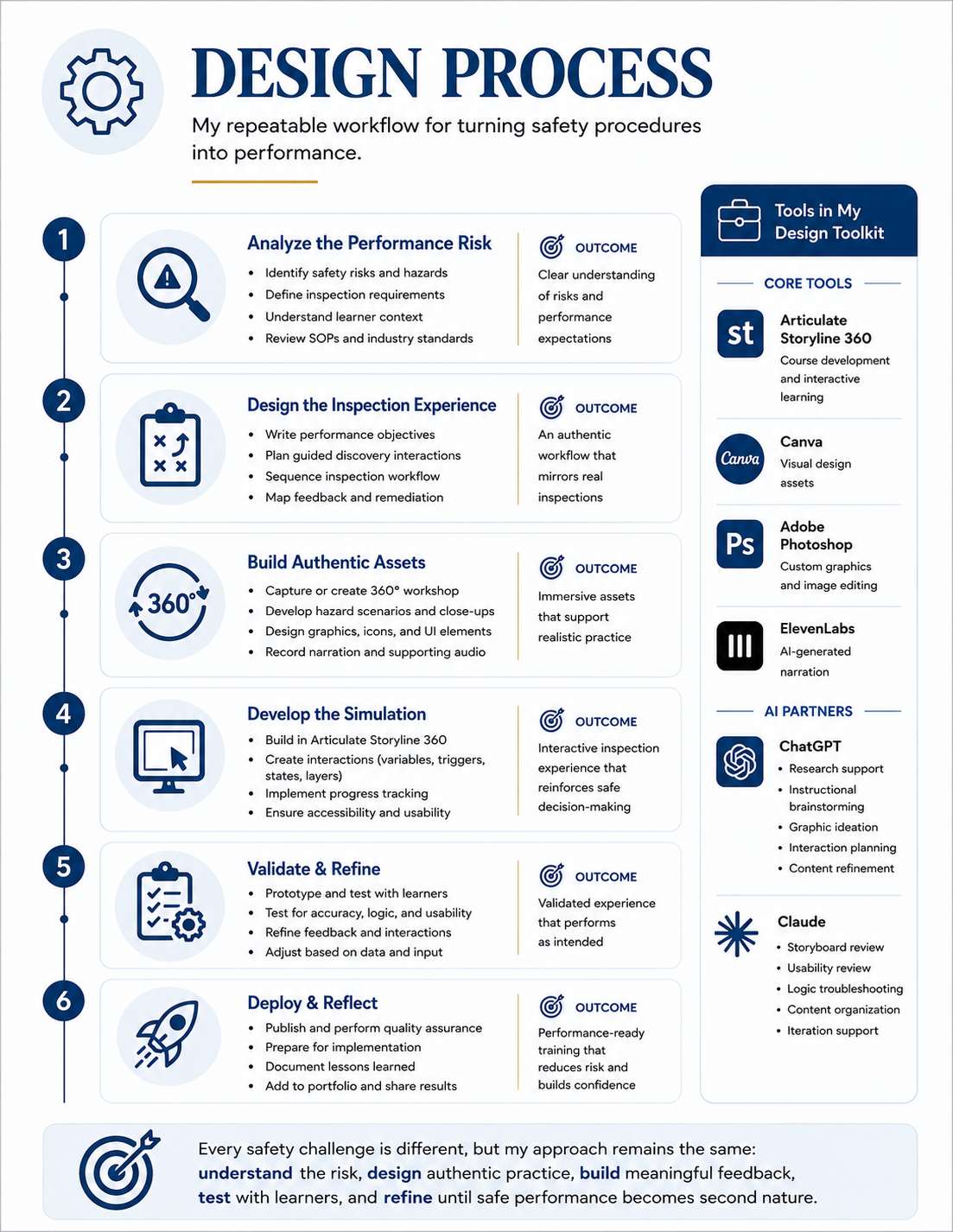
Every project is different, but my workflow remains consistent. I follow a structured process that begins with understanding the performance need and continues through planning, asset creation, development, testing, and refinement. For Laser Safety, I adapted each stage to address the risks and decisions involved in a real pre-operation inspection.
The diagram illustrates how the project moved from performance analysis to a completed interactive simulation. AI tools supported brainstorming, visual development, usability review, and troubleshooting, while the instructional strategy, interaction design, Storyline development, testing, and final implementation remained my responsibility.
Storyboarding
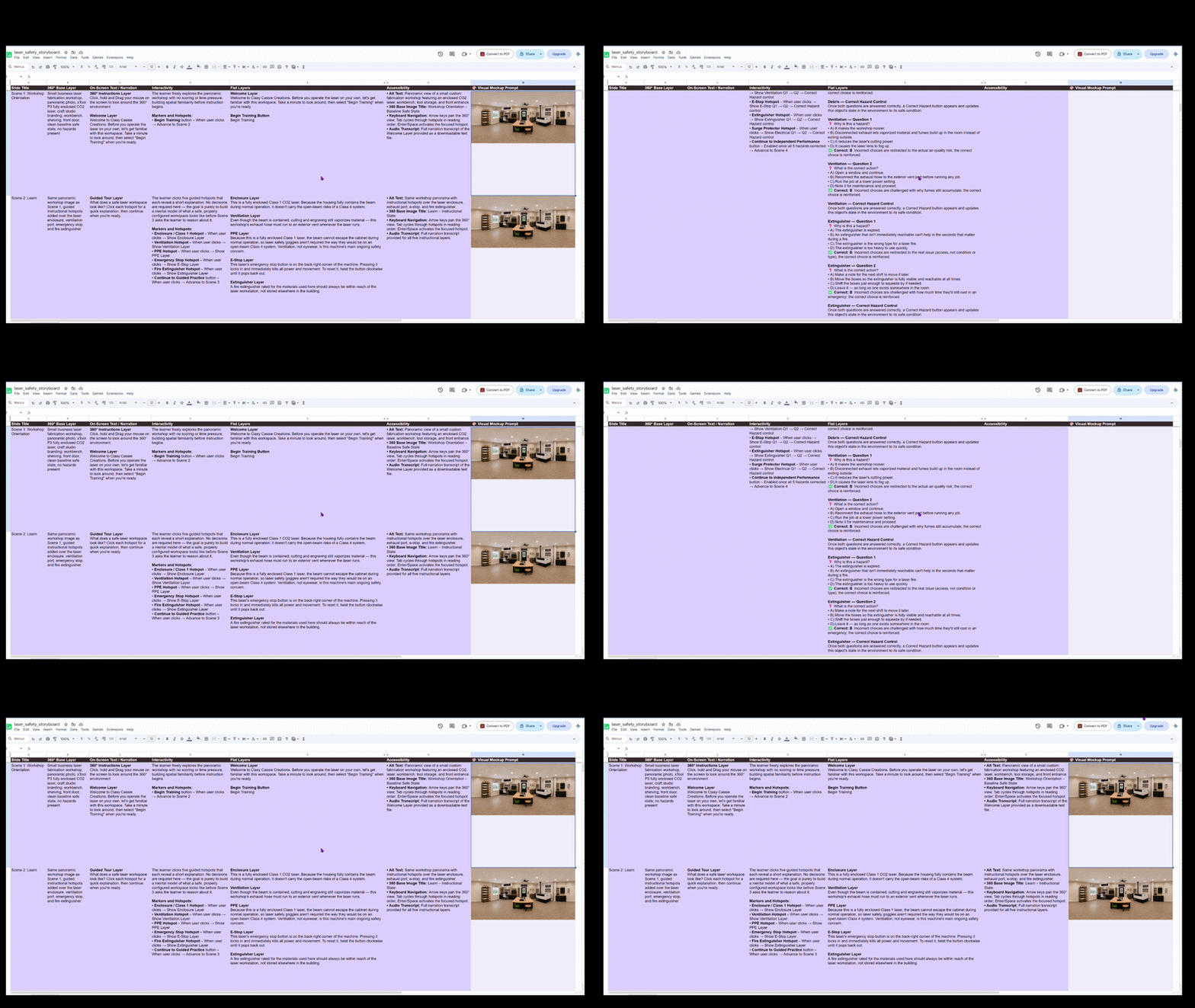
The storyboard established the complete learner journey before full development began. I organized the experience into four scenes: an introduction, a guided exploration of safe conditions, a hazard-identification challenge, and a final inspection summary.
Each interaction was mapped to a specific learner action. In the exploration scene, learners examine six correctly configured safety elements. In the hazard scene, they identify four unsafe conditions and answer questions about both the risk and the appropriate corrective action.
The storyboard evolved as the interaction logic became more complex. I refined narration, feedback, completion requirements, and learner flow so that each activity supported the final goal: completing a full pre-operation inspection rather than simply answering isolated safety questions.
The finished storyboard became the blueprint for scenes, narration, visual assets, feedback, triggers, variables, and completion criteria throughout development.
Visual Design
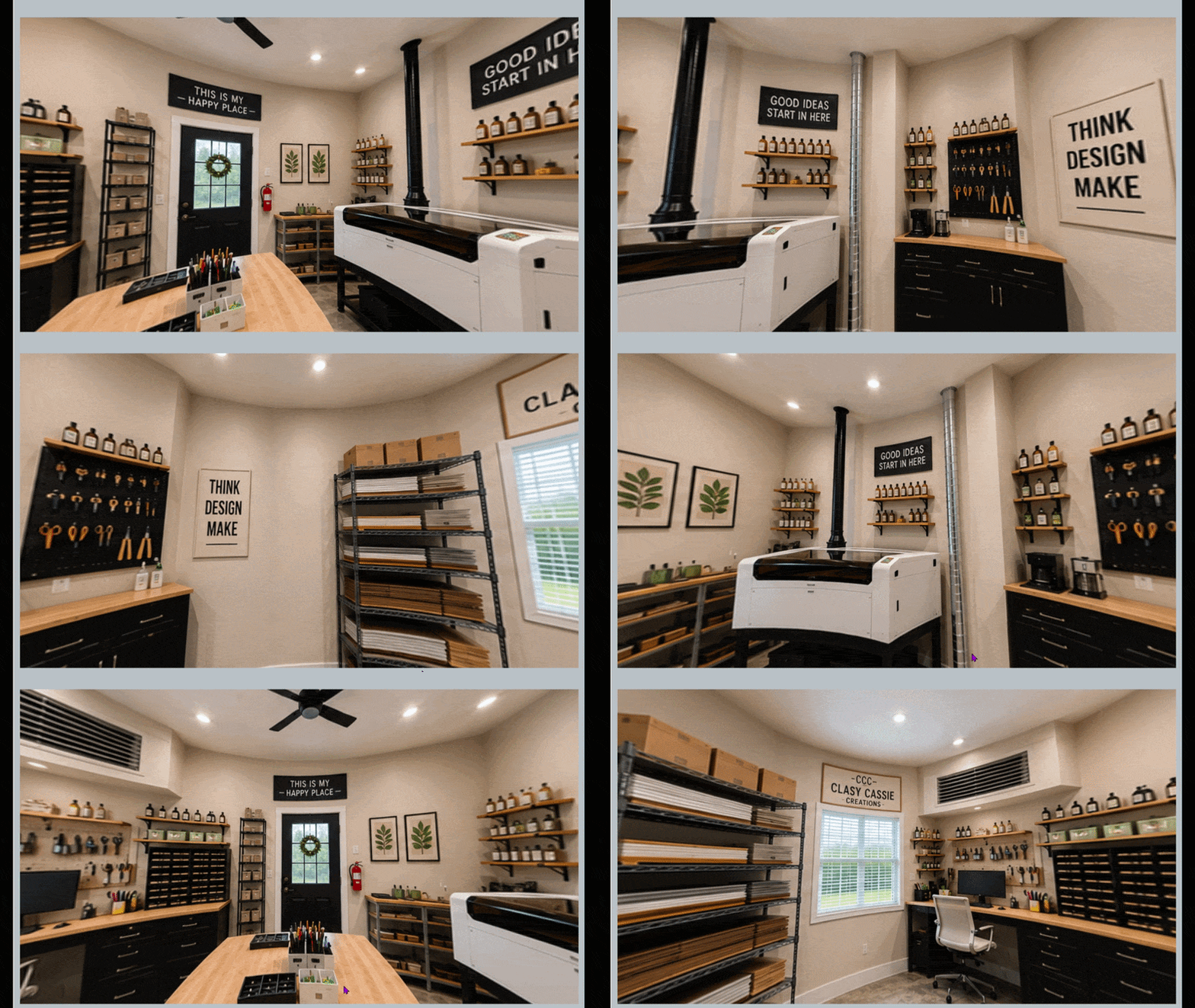
The visual design needed to feel like a believable laser workshop rather than a generic training background. I developed separate 360° environments showing both properly configured equipment and realistic safety hazards.
Adobe Photoshop, Canva, and ChatGPT supported the creation and refinement of custom workshop assets. Brand names were removed, equipment labels were standardized, and close-up images were developed to help learners examine important details without losing their position inside the 360° environment.
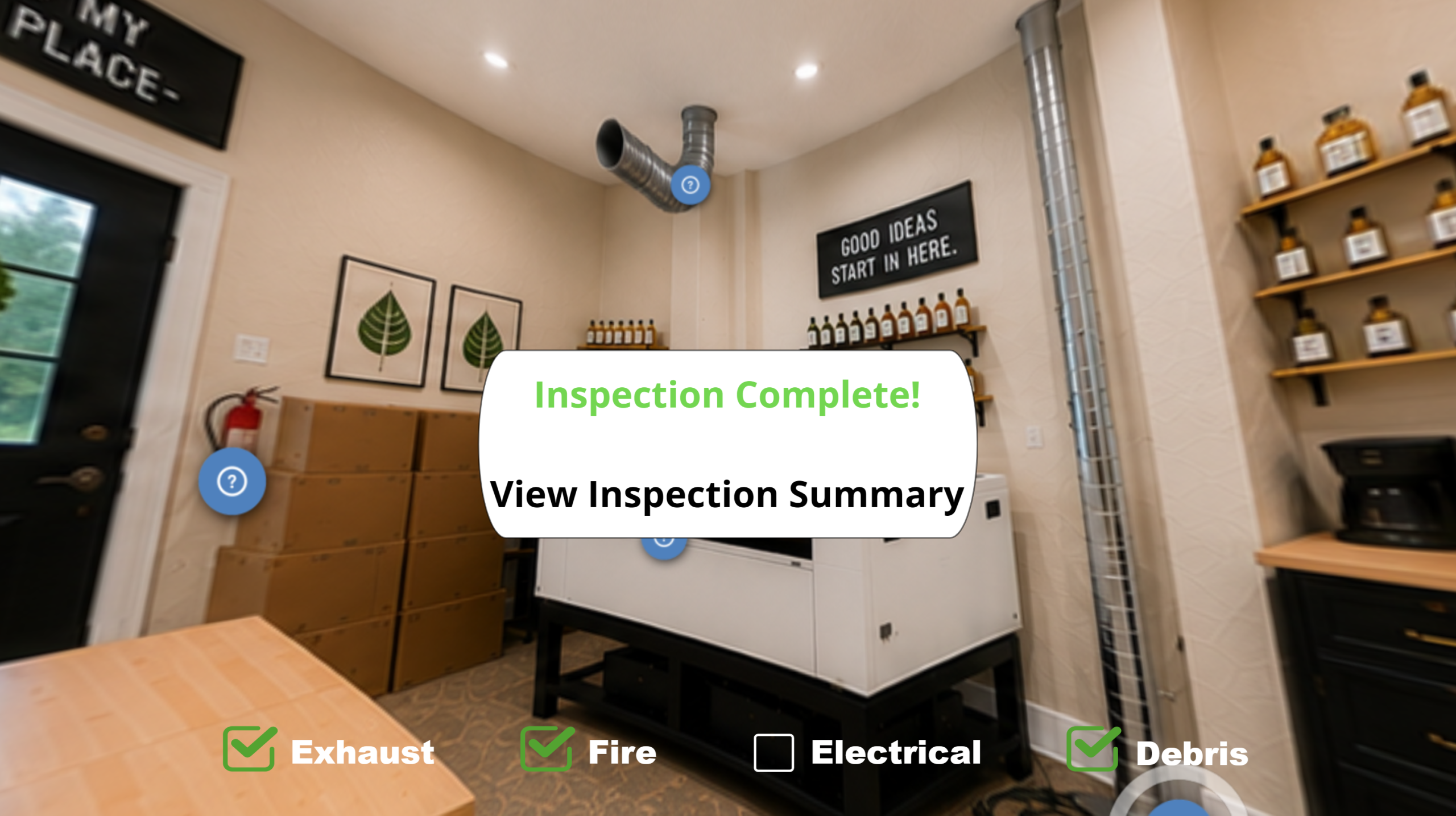
The safe and unsafe versions required careful visual consistency. The workshop needed to remain recognizable while specific conditions changed, including a blocked fire extinguisher, disconnected exhaust, unsafe electrical cords, and debris on the laser bed.
Several assets went through multiple rounds of editing to improve realism, visibility, and instructional clarity. The final visuals support observation and decision-making without revealing answers before learners investigate the environment.
Audio & Development
With the storyboard and visual assets finalized, I built the simulation in Articulate Storyline 360. Development began with the opening and exploration scenes before expanding into the more complex hazard-identification interactions.
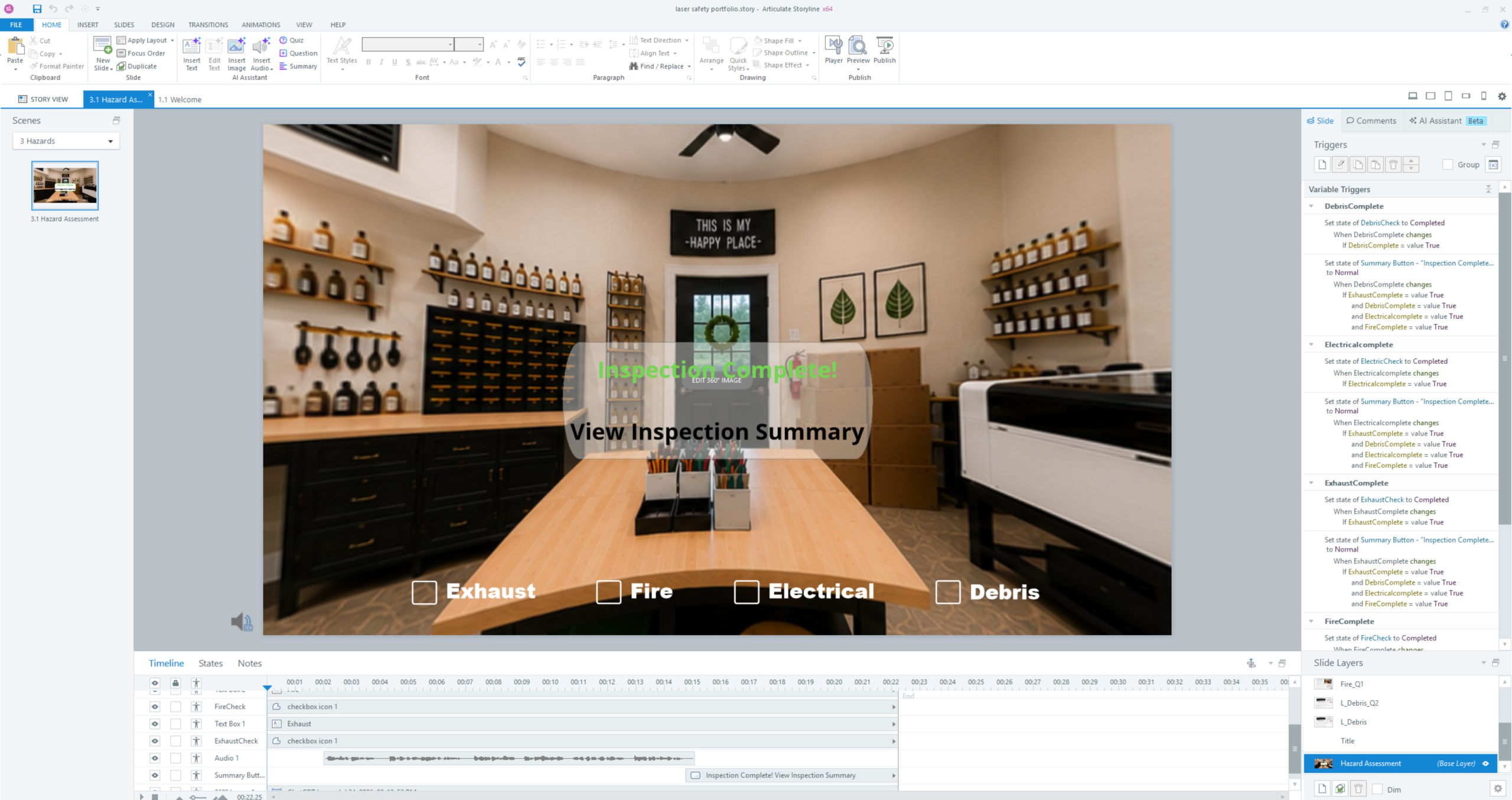
Layers, triggers, states, variables, and conditional logic control the learner experience. In the exploration scene, the Continue button appears only after all six safety elements have been visited. In the hazard scene, progress updates only after learners correctly identify both the risk and the corrective action for each hazard.
ElevenLabs narration provides guidance, introduces activities, reinforces key information, and supports the final inspection summary. Audio was timed carefully so that it supported the experience without competing with visual exploration.
I also used ChatGPT for instructional brainstorming, graphic development, interaction planning, and Storyline troubleshooting. Claude supported storyboard review, usability feedback, content organization, and logic troubleshooting. All final instructional and development decisions were evaluated and implemented by me.
Testing & Refinement
Development was highly iterative. The 360° environment introduced challenges that required repeated testing of navigation, marker behavior, progress tracking, feedback, and completion logic.
Key refinements included:
- Reworking progress indicators so they remained fixed while learners rotated through the 360° environment
- Preventing completed hazards from being revisited
- Adjusting conditional triggers so completion elements appeared only after the required actions were finished
- Refining radio-button resets, Try Again behavior, and targeted feedback
- Revising narration and on-screen instructions when the learner path was unclear
- Testing the final inspection summary to ensure all four hazards were recorded correctly
These refinements strengthened usability and prevented learners from advancing without completing the required inspection tasks. If revisiting the project, I would conduct additional structured learner testing and accessibility review with a broader group of users.
Reflection
Designing Laser Safety reinforced the value of authentic practice in safety training. A checklist can communicate procedures, but an inspection simulation requires learners to observe conditions, evaluate risk, make decisions, and correct problems in context.
This project also significantly expanded my Storyline development skills. I built interconnected variables, conditional triggers, targeted feedback, persistent progress tracking, and gated completion logic inside a 360° learning environment.
Most importantly, the project demonstrated how instructional strategy, realistic visuals, and interaction design can work together to prepare learners for real-world performance rather than simply testing whether they remember safety information.
Key Lessons Learned
- Design the interaction around the real workplace task
- Require learners to explain both the hazard and the correction
- Prototype complex interaction logic early
- Test progress and completion conditions from multiple paths
- Use feedback to teach, not merely confirm an answer
- Refine until the experience feels clear, reliable, and purposeful