Design Approach
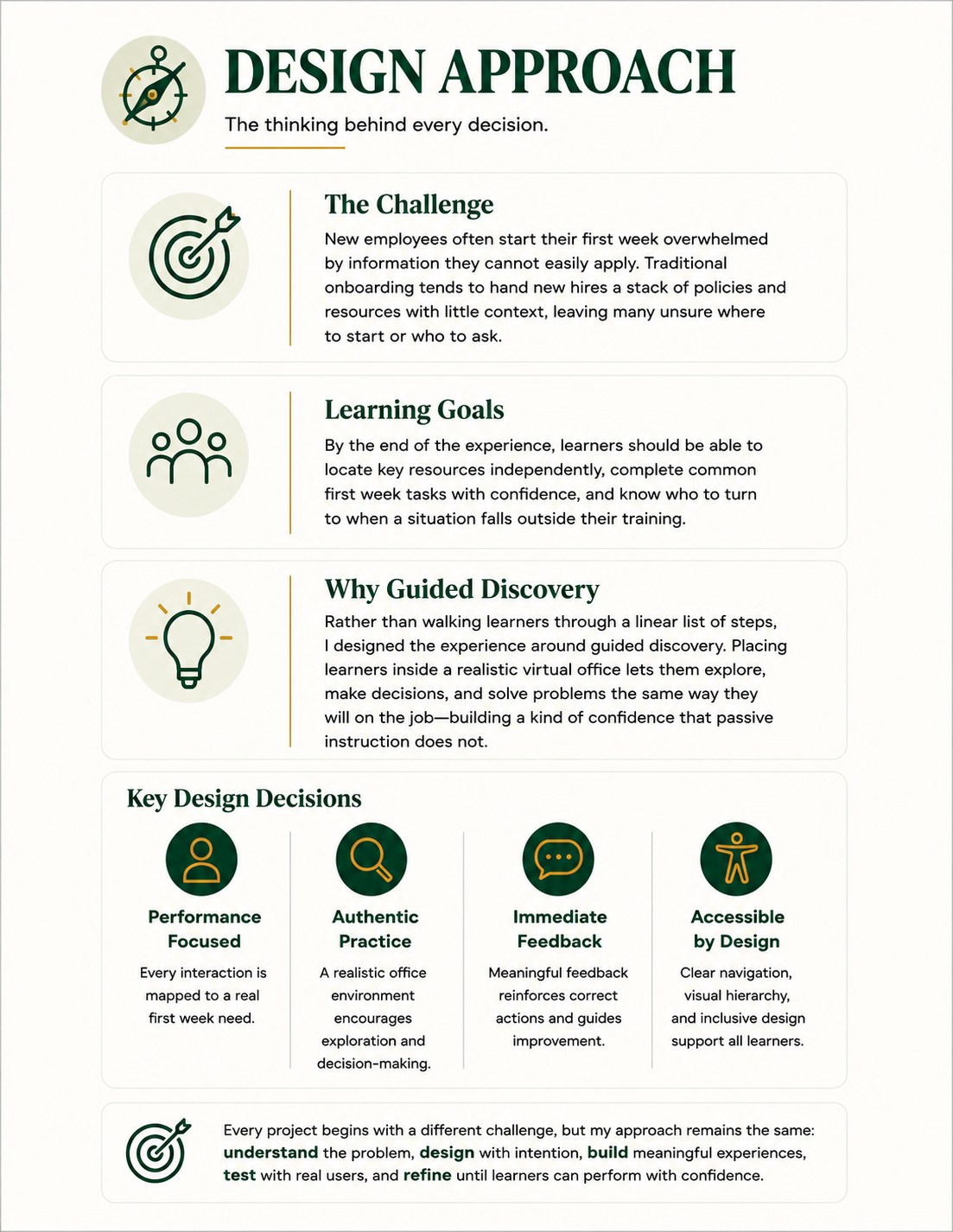
Every project is different, but my workflow remains consistent. I follow a structured process that begins with understanding the performance need and continues through planning, asset creation, development, testing, and refinement. For Evergreen, I adapted each stage to solve a first-week onboarding challenge rather than creating traditional information-based training.
The framework shown here summarizes the thinking that guided every design decision throughout this project. From defining the challenge to choosing guided discovery and performance-based practice, each decision was made with one goal in mind: helping learners perform confidently in real workplace situations rather than simply complete training.
Design Process
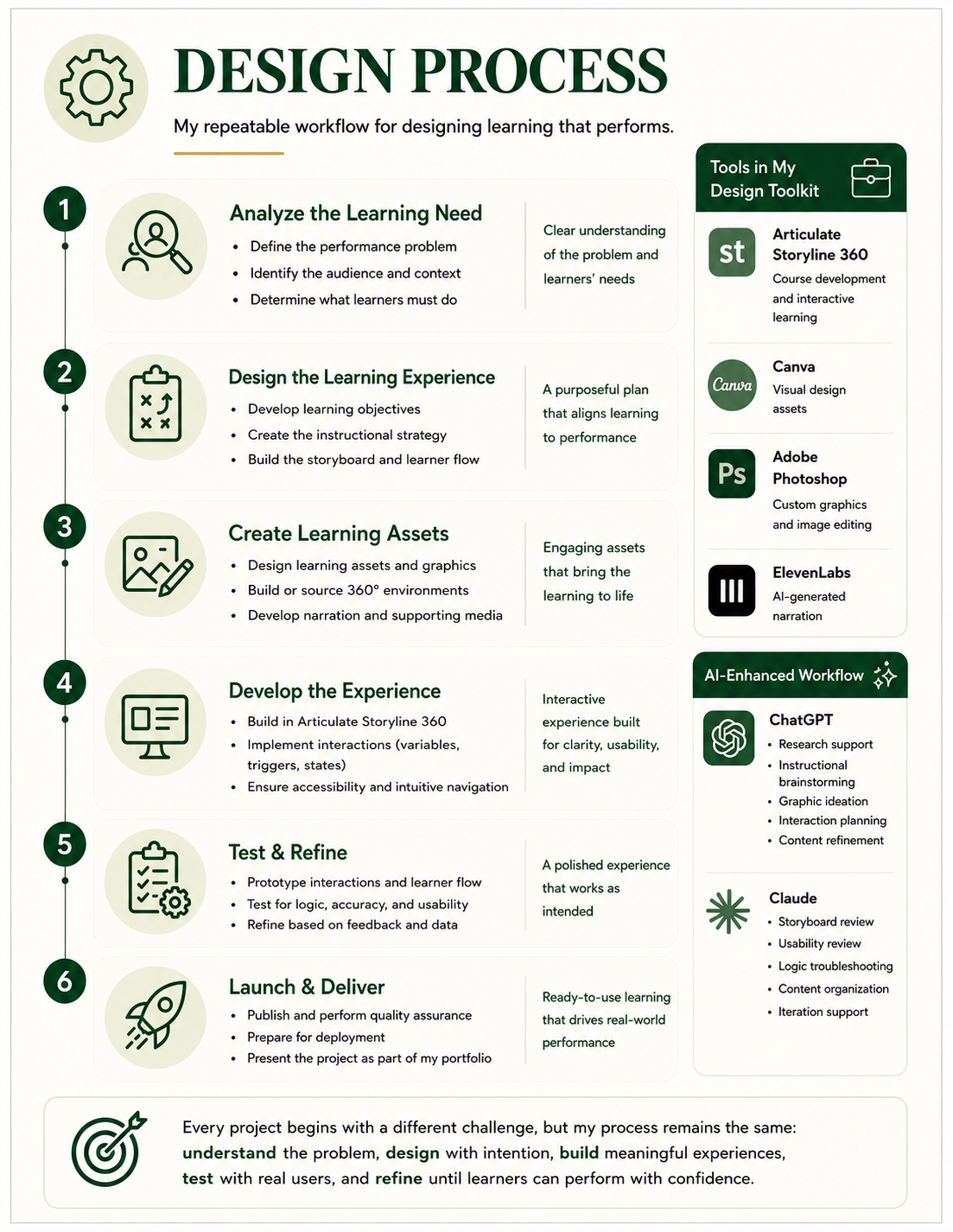
Every project is different, but my workflow remains consistent. I follow a structured process that begins with understanding the performance need and continues through planning, asset creation, development, testing, and refinement. Evergreen followed this workflow, but each stage was adapted to solve a first-week onboarding challenge rather than delivering traditional information-based training.
The diagram illustrates the repeatable workflow I use to move from concept to completed learning experience. AI tools support research, brainstorming, and rapid iteration throughout the process, while instructional strategy, visual design, Storyline development, testing, and final implementation remain my responsibility.
Storyboarding
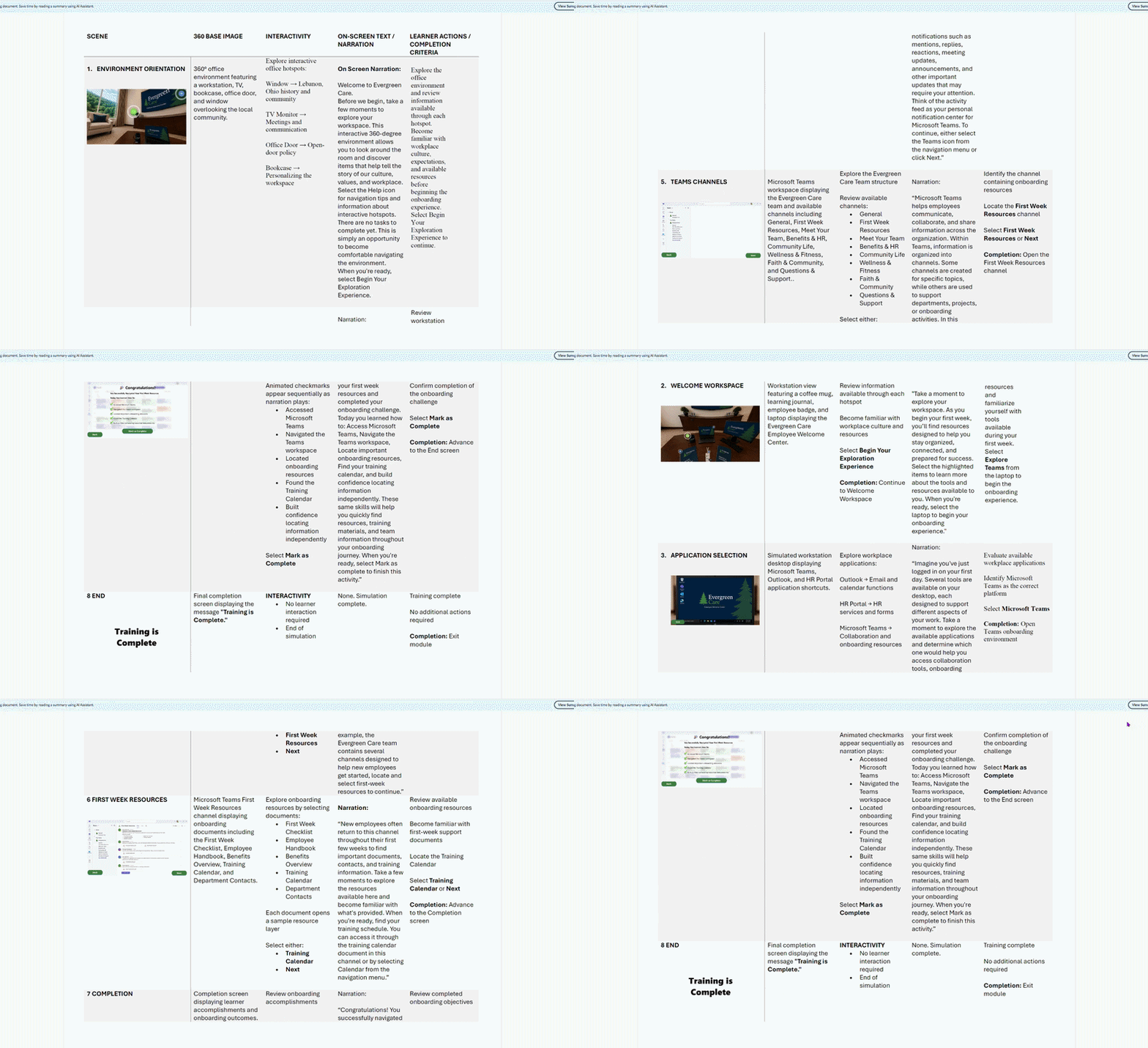
Every successful learning experience starts with a plan. To speed up the early design process, I used a custom GPT to generate an initial storyboard framework and surface ideas for learner interactions I might not have considered on my own.
From there, I reviewed, reorganized, and refined that draft using instructional design principles, cutting anything that did not serve the learning goals and restructuring the flow to match real first week priorities.
The storyboard changed more than once as I tested ideas against the learner experience. Some interactions were simplified, and others were cut entirely when they added complexity without adding value. The final storyboard became the blueprint for navigation, visuals, narration, and completion criteria throughout development.
Visual Design
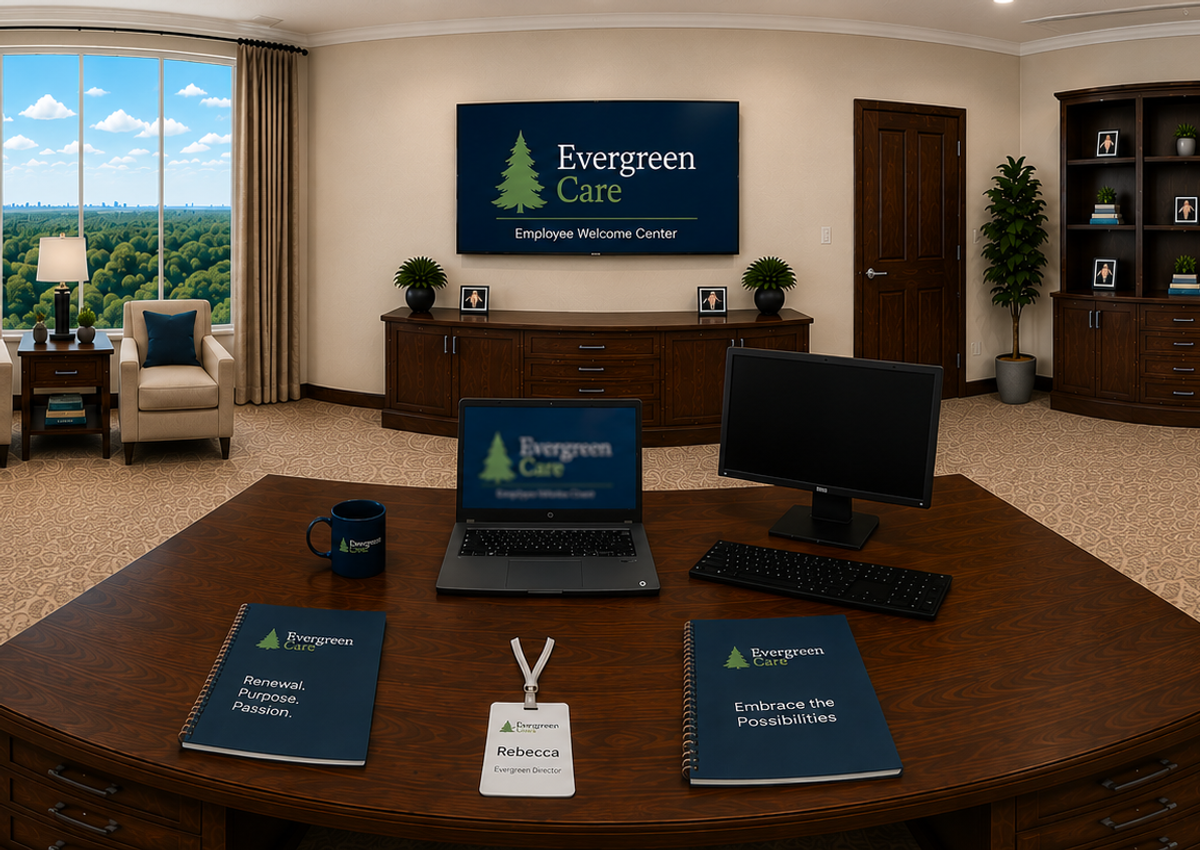
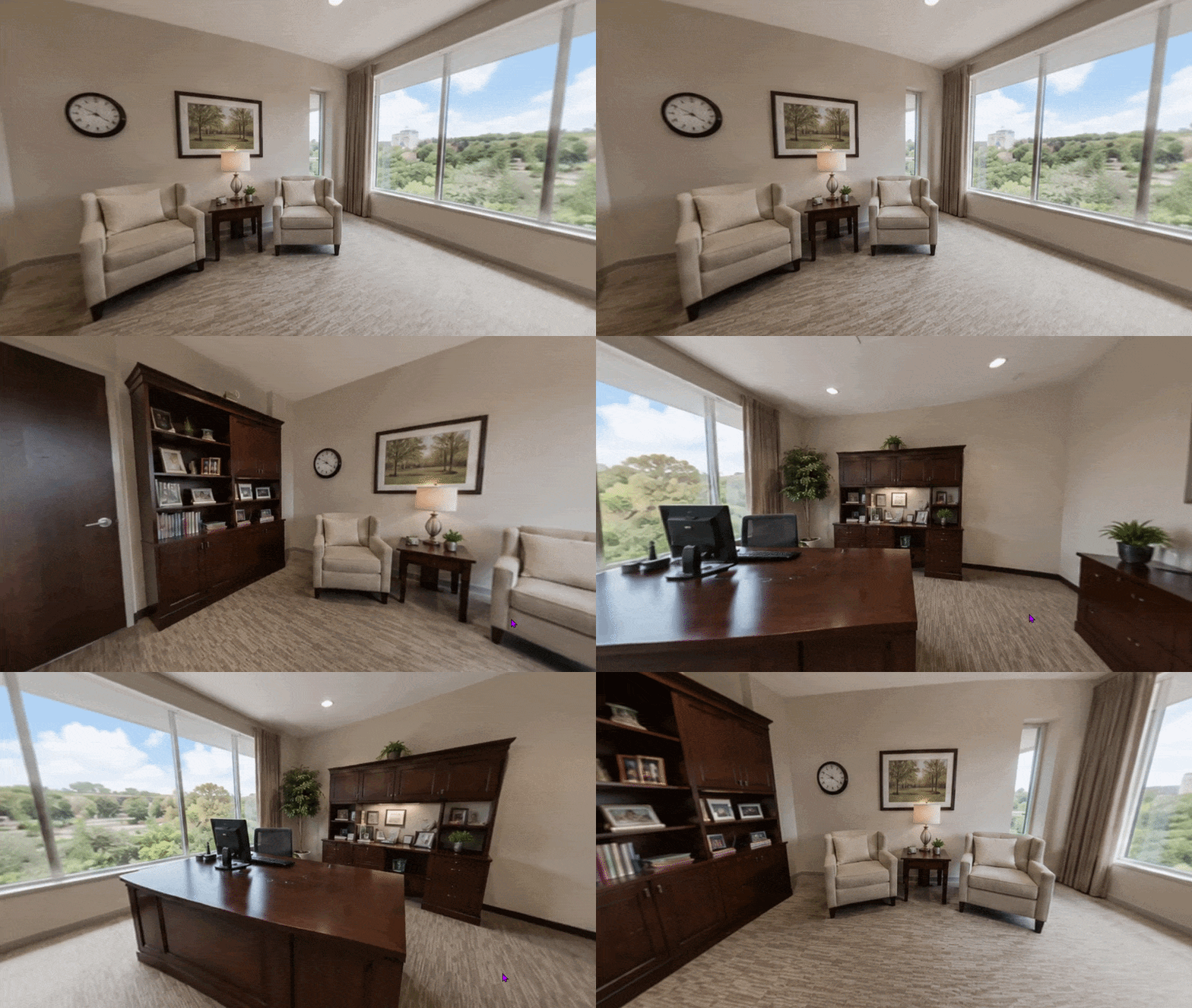
Using Skybox AI and ChatGPT, I generated custom 360° environments that let learners explore a realistic virtual office, fully accessible on a desktop with no photography, special equipment, or VR headset required.
From there, Adobe Photoshop and Canva became my main tools for shaping those raw assets into something usable. Canva’s Magic Edit, Background Remover, and Magic Eraser let me iterate quickly, testing layouts and cleaning up images without slowing down development.
Many assets went through several rounds of edits before reaching their final version. Early drafts were often too busy or did not read clearly at a glance, so I simplified compositions, adjusted lighting and color, and reworked several 360° scenes until they felt believable as an actual office space.
Audio & Development
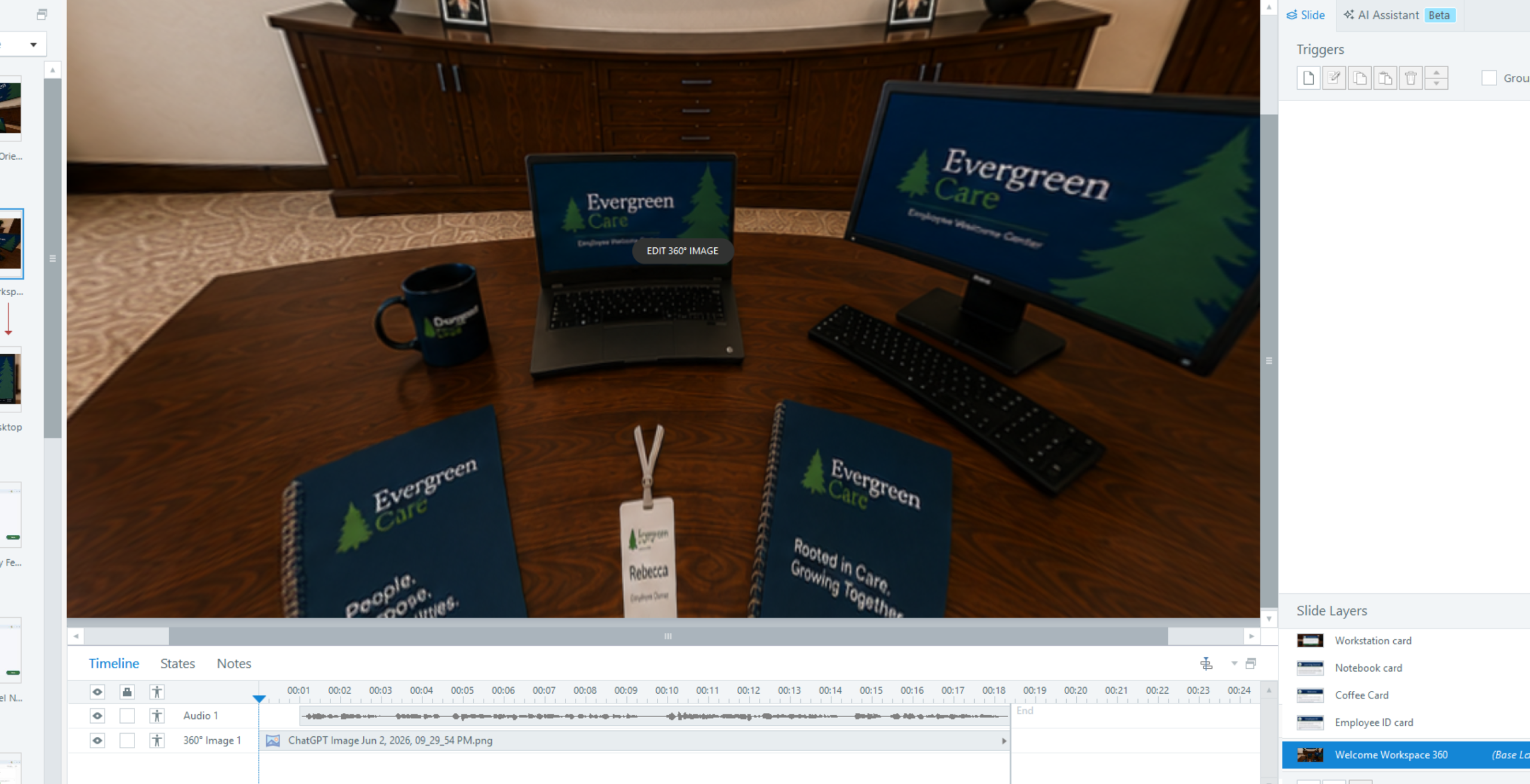
With the storyboard finalized, I began building the experience in Articulate Storyline 360, starting with a prototype of the opening scene to validate navigation and visual design before expanding to the full project.
Using layers, triggers, states, and variables, I transformed the design plan into an interactive onboarding experience that let learners explore the workspace, access resources, complete tasks, and receive feedback.
I also used generative AI as a brainstorming partner to validate workflows and generate ideas for learner interactions — though all final instructional decisions were my own.
Testing & Refinement
Development was never a straight line. Interactions were tested, refined, and rebuilt throughout the process, and small changes added up to a much stronger final experience.
- Reworked the opening scene after early testing showed learners were not sure where to click first
- Simplified several navigation paths that felt cluttered or confusing on the first pass
- Adjusted feedback timing so learners were not left waiting or missing key information
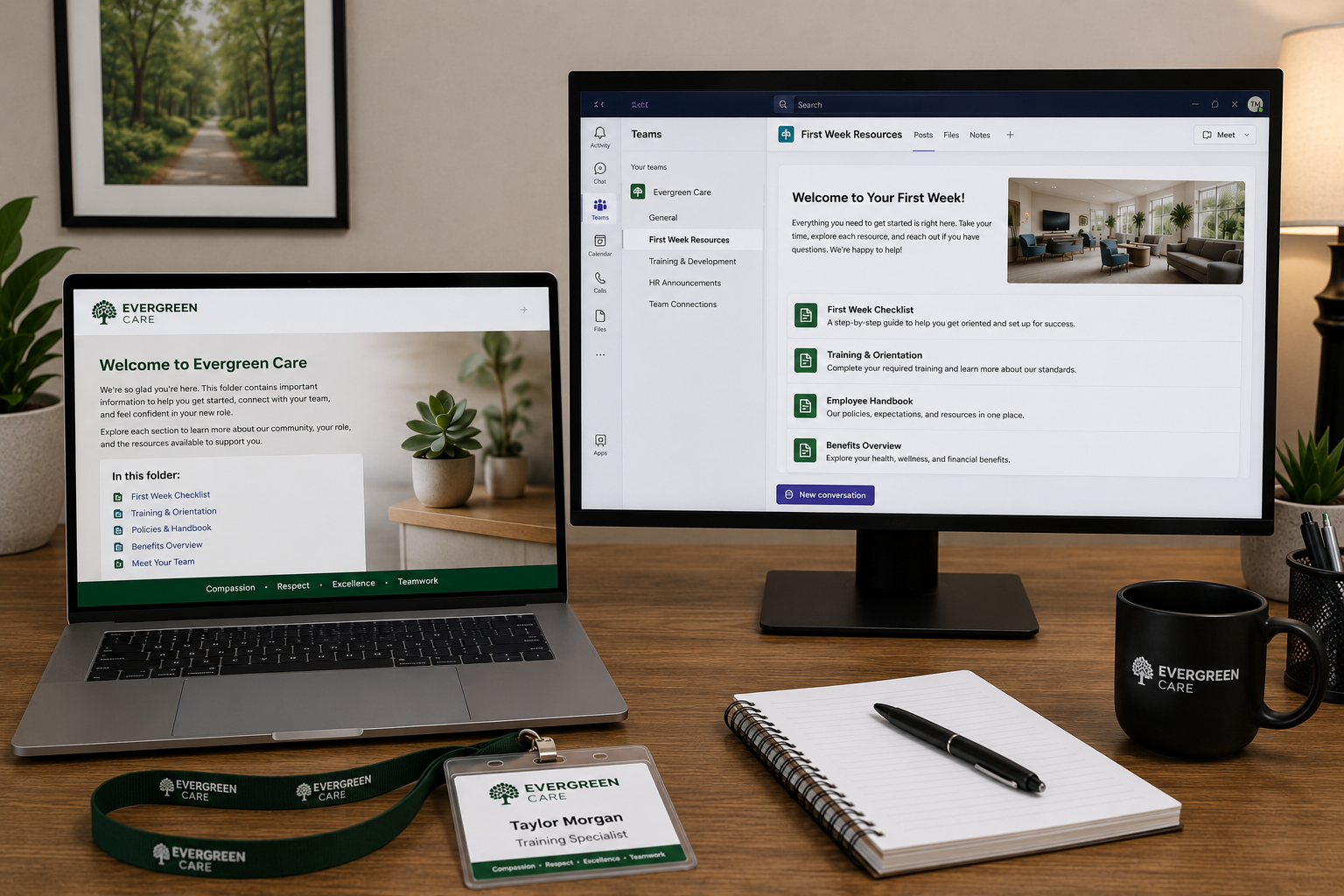
- Revised visual assets that tested as unclear or too busy at a glance
These are the kinds of decisions that rarely show up in a final product, but they shape whether learners actually succeed. If revisiting this project, I would build in structured learner testing earlier to gather feedback on navigation, task completion, and overall experience before finalizing the build.
Reflection
Designing Evergreen reinforced that realistic workplace scenarios create stronger learning transfer than traditional information delivery. Throughout development I refined interactions, simplified navigation, and continuously tested decisions against the learner experience rather than the content itself.
Key Lessons Learned
- Prototype early and often
- Design for learner confidence, not content delivery
- Realistic context improves engagement and knowledge transfer
- Iteration is an essential part of the design process